XAMARIN CROSS-PLATFORM APPLICATIONS
SERVICES
Cross-Platform Development
We provide specialized cross-platform Xamarin solutions for iOS, Android, and Windows that include native UIs, API access, platform-specific capabilities, and performance utilization in developing both C#-based systems and native apps.
Cross-Platform Testing
Our QA & Testing experts ensure that clients have high-quality applications that operate flawlessly on all the devices and operating systems they require, utilizing the 2,000+ real devices made available by Xamarin Test Cloud and our own device library.
Unified Architecture Engineering
We create technology architectures to assist clients in unifying all of their digital products’ backend systems to middleware, and mobile apps—under a single codebase, ensuring that their Xamarin apps are also smoothly linked.
Migration to Xamarin
If the clients decide to transfer a native Android, iOS, or web-based/desktop solution to Xamarin, we assist them in developing a roadmap to stay clear of potential problems, reduce risks, and carry out the migration efficiently.
CROSS-PLATFORM USER INTERFACES
Join The Byte uses Xamarin to create user interfaces that correspond to the User Experience Design Guidelines for Windows, Google's User Interface Guidelines for Android, and Apple's Human Interface Guidelines for iOS applications.
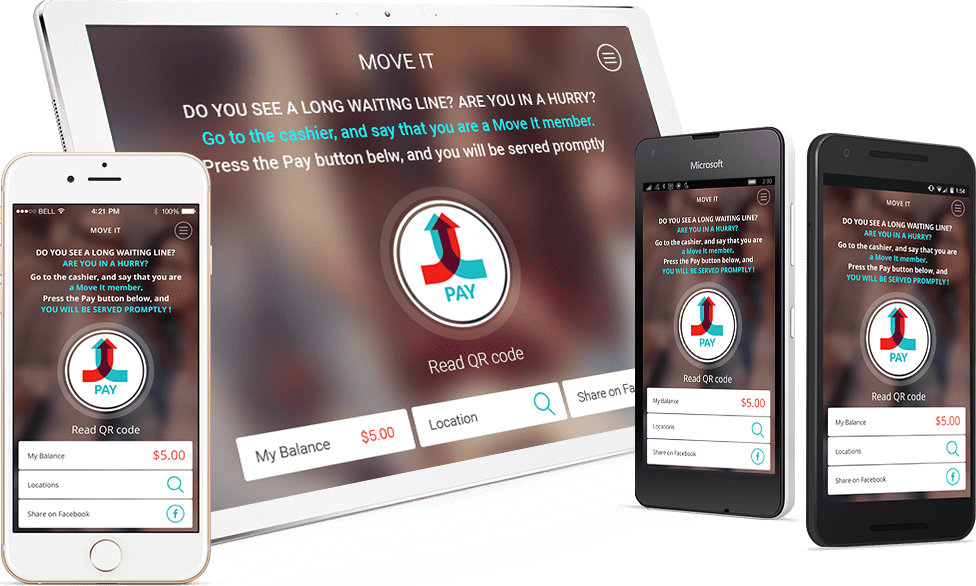
We use Xamarin.Forms and Xamarin Native to create cross-platform user interfaces. The end result is that the apps we develop using Xamarin are identical to those written in Objective-C for iOS or Java for Android, giving consumers access to recognizable user interfaces while ensuring that they perform as quickly as any native program.
Xamarin.Forms
- Native UI layouts shared across target platforms
- Generalized set of APIs that enables writing a shared UI layer for all platforms in a PCL
- Render to native controls on each target platform to give a native look and feel
- C# and XAML used to build UIs
Ideal for:
- Simple data entry apps
- Prototypes and proof-of-concepts
- Apps where code sharing is more important than custom UI
- Apps with little platform-specific functionality
Xamarin Native
- Separate native UI for each target platform
- Access to all platform-specific APIs to customize UI per each platform
- Direct access to the native controls and designers for each platform
- Views/Stroryboards for iOS, AXML files for Android, and XAML files for Windows
Ideal for:
- Apps with specialized interactions
- Apps with highly polished design
- Apps where custom UI is more important than code sharing
- Apps that use many platform-specific APIs
XAMARIN.FORMS AND XAMARIN NATIVE
Applications can be created by combining Xamarin Native with Xamarin.Forms. We suggest starting with Xamarin.Forms based solutions to maximize cross-platform UI code reuse.
Build general screens
By using Xamarin.Forms, build screens with comparable functionality and UI across platforms, such as contact forms, login screens, search results, etc.
Adjust UI per platform
Utilize Xamarin.Forms customisation features, like the OnPlatform API allow UI to be tailored per platform by creating a unique view or renderer.
Add unique UI features
With Xamarin Native creates screens to make use of each platform's distinct UI capabilities, such as panels that enable native camera functionality.
CODE SHARING WITH XAMARIN
Portable Class Libraries
Using Portable Class Libraries (PCLs) we create and disseminate assemblies that include shared code that may be referred to in each platform-specific project.
.NET Standard
Using the .NET Standard option to share code across platforms - the code can be built against a certain version and then consumed by other projects that support that level or above.
Shared Projects
We construct common code that is referenced and compiled by numerous distinct projects in order to include platform-specific functionality in the shared codebase.
Multiplatform Libraries for Code Sharing
Code that makes use of iOS, Android and Windows native APIs can be found in cross-platform libraries. We rely on NuGet to automatically create cross-platform packages from PCL or.NET standard projects. Shared Projects can be packaged as "bait and switch" NuGet libraries using the unique NuGet project type. With the convention-based working directory technique, multiple versions of the same library can be supported by NuGet packages in a single package.
BACKEND ENGINEERING
Join The Byte can assist clients in creating a backend for their mobile apps, from straightforward options to more complex ones. Although integrating web services into mobile applications is a standard practice, we make full use of the built-in and third-party support provided by the Xamarin platform for consuming several web service technologies, including RESTful, ASMX, and WCF.
Read moreCONTINUOUS INTEGRATION WITH XAMARIN
We help you implement continuous integration systems to automate the deployment process. Using an integrated suite of solutions that all work together will give you total control over the development, quality, and monitoring of your Xamarin-based apps.
ENTERPRISE MOBILITY
We use our Xamarin experience to create cross-platform, enterprise-grade mobile apps that are integrated with business solutions like systems for managing customers and employees or systems for processing transactions in order to meet their data requirements.





We coordinate releases across all associated systems to create an end-to-end integrated experience, to guarantee that the entire ecosystem is operating as planned, and ensure that no mistakes are produced as a result of these integrations.
With Xamarin, we make it simple to safely transfer corporate data from clients to mobile devices, ensuring app adoption, making it simple to add new OS capabilities to devices while expanding to new platforms, and uniformly distributing and managing apps.
WEARABLES
Android Wear
- Both code and UI run right on device
- User can interact with app on device
- Sensors vary depending on manufacturers
- Sensors are accessiblein code
- Communicate with phone app via APIs
- Wear app is built in phone app
watchOS
- UI runs on device, code doesn’t (code is executed execution on phone remotely)
- User can interact with app on device
- Sensors are not accessible in code
- Watch app is built in phone app
INTERNET OF THINGS
Join The Byte assists clients in gaining access to the capabilities and insights made possible by industrial device data and places the power of device data consumption, device command, and control in their hands through cloud-enabled Xamarin apps.





Join The Byte MOBILE COMPETENCY CENTER
Our customers depend on the experience we've accumulated over the years to offer them strategic insight and assist them in putting their mobile strategy into practice successfully. Our professionals at the Mobile Competency Center can assist clients with:
- Understand the types of apps you need to build, and when and how to build them
- Analyze and optimize your existing architecture for mobile
- Implement best practices on engaging users in new ways
- Gain insight into all stages of mobile app delivery cycle
- Identify and mitigate risks inherent to your mobile strategy